Best Online Learning Platforms for Kids: Honest Reviews from a Homeschool Mom
Honest reviews of the best online learning platforms for kids. Comparing Khan Academy, ABCmouse, Outschool, Prodigy, and more — free and paid options.
- Khan Academy and Khan Academy Kids — The Gold Standard (Free)
- ABCmouse — Good for Little Ones, But... ($12.99/month)
- Outschool — Live Classes Worth Every Penny (Pay per class)
- Prodigy Math — Sneaky Effective (Free with paid option)
- IXL — Thorough but Dry ($9.95/month per subject)
- Free vs. Paid: Where to Spend Your Money

Disclosure: This post contains affiliate links. If you purchase through my links, I may earn a small commission at no extra cost to you. I only recommend products I genuinely love and believe in. Thank you for supporting Eventful Eve! 🤍
We've used a lot of online learning platforms over the years. A lot. Some were incredible — the kind of resource that makes you wonder how families homeschooled before the internet. Others were flashy on the outside and disappointing once you actually sat a kid down in front of them. The tricky part is that most of these platforms look great on their website, but the experience of a real child using them daily can be very different from the polished demo. So here are my honest reviews based on actual daily use with my three kids, ages 5, 8, and 11. I'll tell you what worked, what didn't, and whether each one is worth your money (or if the free version is good enough).
Khan Academy and Khan Academy Kids — The Gold Standard (Free)
I'll start with the best news: the single best online learning platform for kids is completely free. Khan Academy has been our most-used resource for three years running, and I cannot recommend it strongly enough.
Khan Academy (ages 8+) covers math from early arithmetic through calculus, plus science, computing, history, economics, and SAT prep. The math program is exceptional. Each topic has video lessons where the concepts are explained clearly, followed by practice exercises that adapt to your child's level. If they get something wrong, they get hints and can rewatch the video. There are mastery goals, progress tracking, and a dashboard for parents and teachers.
My 11-year-old works through Khan Academy math independently every day. She watches the video, does the practice, and I check her progress on the parent dashboard. It's the closest thing I've found to having a math tutor available 24/7, and it costs nothing.
Khan Academy Kids (ages 2-8) is a separate app with a colorful, engaging interface designed for little ones. It covers reading, writing, math, social-emotional learning, and creative activities. My 5-year-old loves the characters and the interactive lessons. There are no ads, no subscriptions, and no in-app purchases. It's genuinely free with no catch.
The verdict: Install both. Today. There is no reason not to. This is the first platform I recommend to every homeschool family I talk to.
ABCmouse — Good for Little Ones, But... ($12.99/month)
ABCmouse is one of the most heavily marketed kids' learning platforms out there, so let's talk about what it actually delivers.
What it does well: The content library is massive. There are thousands of activities covering reading, math, science, art, and music for ages 2-8. The learning path structure gives kids a clear progression, and the reward system (tickets, virtual prizes) keeps them motivated. For a young child who responds well to gamification, it can be really engaging.
Where it falls short: The interface feels cluttered and overstimulating compared to Khan Academy Kids. There are so many things to click on that my kids sometimes spent more time exploring the virtual world and collecting prizes than actually doing educational activities. The quality of individual activities varies a lot — some are excellent, some feel like filler. And at $12.99/month, it's not cheap for what you're getting when the free alternative (Khan Academy Kids) is arguably better for actual learning.
My honest take: We used ABCmouse for about six months. My youngest liked it, but when I compared what she was actually learning versus what she learned from Khan Academy Kids, I couldn't justify the subscription. If your child has already gone through everything on Khan Academy Kids and you want something fresh, ABCmouse is a decent option. Otherwise, save your money.
Outschool — Live Classes Worth Every Penny (Pay per class)
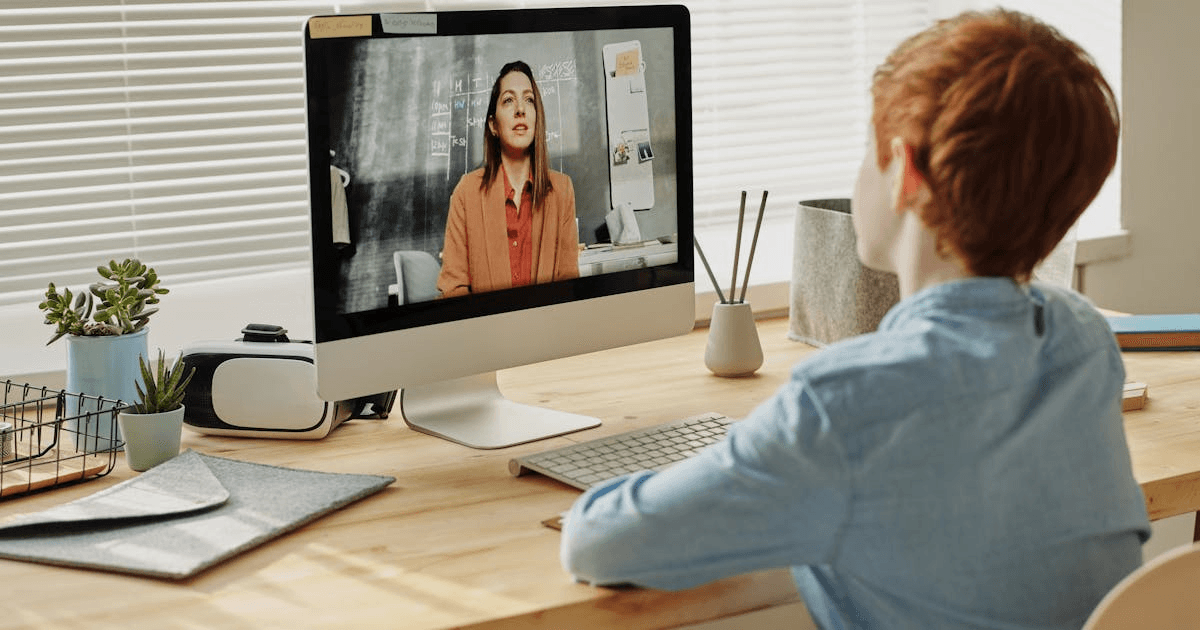
Outschool is different from everything else on this list because it's not a self-paced platform — it offers live, online classes taught by real teachers over Zoom. And it has been a game-changer for our homeschool.
How it works: You browse a catalog of classes on virtually any topic — from algebra to art history to Minecraft engineering to Shakespeare — filter by age, schedule, and price, and enroll your child. Classes range from one-time sessions to multi-week courses. Prices are set by individual teachers and typically range from $10-25 per class for group sessions.
What we love: The social component. My kids interact with other students, raise their hands, participate in discussions, and build relationships with teachers. For homeschooled kids especially, this fills the social gap in a way that self-paced apps simply cannot. The class variety is staggering — if your child is obsessed with volcanoes, there's a class for that. If they want to learn Japanese, there's a class for that. Creative writing, chess strategy, coding, cooking — it's all there.
What to know: Quality varies by teacher, so always read reviews before enrolling. The good teachers are really good — engaging, organized, and genuinely passionate about their subject. We've found several teachers my kids request by name. The less good ones can be disorganized or not great at managing a virtual classroom. The reviews are usually accurate, so read them.
The verdict: Outschool is worth it, especially for homeschool families who want live instruction and peer interaction. It's not a replacement for a full curriculum, but as a supplement — particularly for subjects where your kids benefit from a real teacher — it's excellent.

Kids Headset with Microphone for Online Learning
A comfortable headset with volume limiting, a clear microphone, and a mute button — perfect for Outschool classes, virtual co-op sessions, and any online learning where they need to be heard and hear clearly.
Prodigy Math — Sneaky Effective (Free with paid option)
Prodigy is a math platform disguised as a fantasy role-playing game, and my kids are obsessed with it. They think they're playing a video game. They're actually doing hundreds of math problems per session.
How it works: Kids create a character, explore a fantasy world, and battle creatures by answering math problems. The problems adapt to their grade level and get harder as they improve. They earn rewards, collect pets, and unlock new areas — all driven by math practice.
Free vs. paid: The free version includes all the math content and adaptive learning. The paid membership ($8.95/month) adds cosmetic upgrades — better gear, more pets, fancier outfits. It does not add more educational content. My kids have asked for the paid version approximately one million times. I have not caved. The free version is completely sufficient for the actual learning.
What parents see: The parent dashboard shows you exactly what topics your child is working on, how many questions they've answered, their accuracy rate, and areas where they need help. You can also align the content to your homeschool curriculum's math scope and sequence.
The verdict: Prodigy is sneaky brilliant. If your child likes video games and struggles with math motivation, this is the platform. The free version is all you need.
IXL — Thorough but Dry ($9.95/month per subject)
IXL is the workhorse of online learning platforms. It's comprehensive, it's adaptive, and it covers math and language arts from pre-K through 12th grade. It is also, in my children's words, "boring."
What it does well: Thorough, systematic practice with immediate feedback. The analytics for parents are excellent — you can see exactly where your child is struggling, how long they spent on each topic, and how their skills have improved over time. If you need to make sure your child has mastered specific standards, IXL is the most reliable tool for that.
What it doesn't do: Make kids want to open it voluntarily. There are no games, no characters, no adventure. It's practice problems with explanations. For some kids — the ones who are internally motivated or who genuinely enjoy structured practice — this is fine. For most kids, you'll need to assign it rather than expecting them to choose it.
The verdict: IXL is the broccoli of learning platforms — nutritious and effective, but not what your kids are going to ask for. I use it specifically for math skills that need reinforcement, not as an everyday platform. If you subscribe, the math-only option at $9.95/month is usually sufficient.
Free vs. Paid: Where to Spend Your Money
Here's my honest hierarchy:
Use for free (these are genuinely enough for most families):
- Khan Academy and Khan Academy Kids — the foundation
- Prodigy Math (free version) — math practice with motivation
- Duolingo — foreign language
- Scratch — coding for kids
- YouTube educational channels (Crash Course Kids, SciShow Kids, National Geographic Kids)
Worth paying for if it fits your family:
- Outschool classes — for live instruction and social learning ($10-25 per class)
- IXL — for targeted skill reinforcement ($9.95/month)
- Epic! — for a massive digital reading library ($9.99/month)
Probably not worth the money:
- ABCmouse — when Khan Academy Kids is free and arguably better
- Premium versions of free apps — the free tiers are almost always sufficient
- Multiple subscriptions at once — pick one or two paid platforms, not five
Kids Blue Light Blocking Glasses
If your kids spend time on screens for learning, these lightweight blue light glasses reduce eye strain and headaches. My kids wear them during all their online learning sessions and I've noticed fewer complaints about tired eyes.
Making Online Learning Work
A few tips from three years of daily online learning:
Mix it up. Don't put your child on the same platform every day. Rotate between Khan Academy one day, Prodigy the next, and a Scratch coding project on Fridays. Variety prevents burnout.
Set time limits. Even educational screen time should have boundaries. We cap online learning at 45-60 minutes per session, then switch to offline activities. Their brains need the break.
Sit with them sometimes. Especially with younger kids, sitting next to them while they use a learning app makes a huge difference. You can ask questions, celebrate when they get something right, and help when they're stuck. It turns screen time into together time.
Pair it with real life. If they learned about volcanoes on Khan Academy, build a baking soda volcano this afternoon. If they practiced fractions on Prodigy, let them measure ingredients for dinner. The online learning sticks better when it connects to something tangible.
The internet has given homeschool families access to resources that would have been unimaginable a generation ago. The key is being intentional about which resources you use and not trying to use all of them at once. Start with the free options — they're genuinely excellent — and add paid platforms only when you see a specific need they fill. Your kids don't need twelve learning apps. They need two or three good ones, used consistently, with a parent who's paying attention.